Zions Treasury Banking Tablet4.10.177
Publisher Description
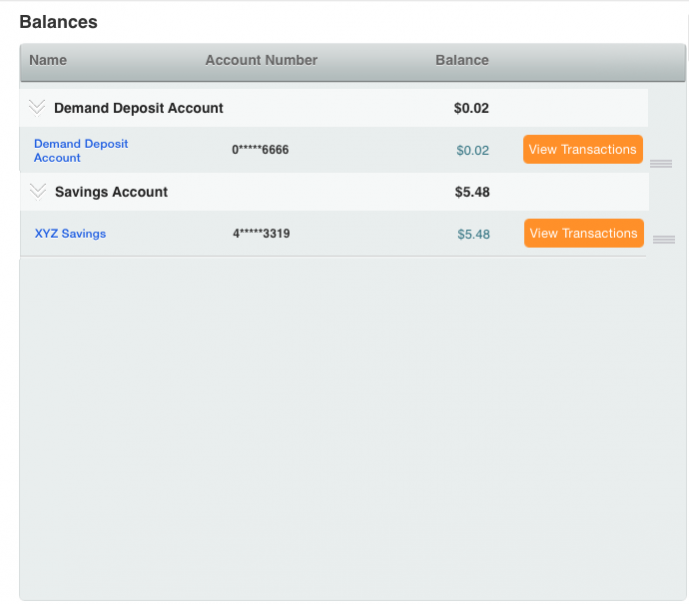

Available to Zions Bank corporate and business customers who have services available through Anytime Gateway.
Sign in with your Anytime Gateway credentials. It is quick and straight forward. There are no additional fees.*
The Zions Bank Treasury Mobile app provides services from Anytime Gateway that have been developed for mobile devices.
It has never been more convenient to view account information, approve payment and template maintenance with easy to read and intuitive screens that have been optimized for mobile devices.
To use Zions Bank Treasury Mobile Banking, you must:
• Be a registered Anytime Gateway client
• Have a compatible mobile device
• Be connected to a mobile internet data service*
Customers with personal and small business accounts with Zions Bank should download the Zions Bank mobile app for easy access to those accounts.
*Message and data rates may apply. Please check with your carrier for details.
About Zions Treasury Banking Tablet
The company that develops Zions Treasury Banking Tablet is ZB, N.A.. The latest version released by its developer is 4.10.177.
To install Zions Treasury Banking Tablet on your Android device, just click the green Continue To App button above to start the installation process. The app is listed on our website since 2019-06-21 and was downloaded 1 times. We have already checked if the download link is safe, however for your own protection we recommend that you scan the downloaded app with your antivirus. Your antivirus may detect the Zions Treasury Banking Tablet as malware as malware if the download link to com.zionsbank.treasury.banking.tablet is broken.
How to install Zions Treasury Banking Tablet on your Android device:
- Click on the Continue To App button on our website. This will redirect you to Google Play.
- Once the Zions Treasury Banking Tablet is shown in the Google Play listing of your Android device, you can start its download and installation. Tap on the Install button located below the search bar and to the right of the app icon.
- A pop-up window with the permissions required by Zions Treasury Banking Tablet will be shown. Click on Accept to continue the process.
- Zions Treasury Banking Tablet will be downloaded onto your device, displaying a progress. Once the download completes, the installation will start and you'll get a notification after the installation is finished.
Program Details
System requirements
Download information
Pricing
Version History
version 4.10.177
posted on 2019-06-21
- Fix minor bugs and other small improvements
